

Opstream User Guide
Procurement Orchestration Platform
| Audience | Admins · Approvers · Requesters |
| Coverage | All roles and modules |
| Status | Confidential · Internal use |
This guide explains each part of the Opstream platform and how to use it – whether you are submitting a request, reviewing one, or configuring how your organization operates inside Opstream.
Start here
-
What Opstream is, who uses it, and how to find your way around this guide.
-
How the platform is structured, how information flows through it, and the terminology used throughout.
-
The recommended setup order for Admins, from integrations through to going live.
Guides by role
-
Submit requests, avoid duplicate software purchases, and track what you have sent.
-
Work your approval queue, review a request in context, and act on it.
-
Configure workflows, the data model, users and permissions across the organization.
-
What vendors see when they receive a vendor questionnaire, and how they answer and submit it.
Video walkthroughs
-
Step-by-step guidance on initiating a workflow.
-

Instructions for managing tasks in the Approvals queue.
-
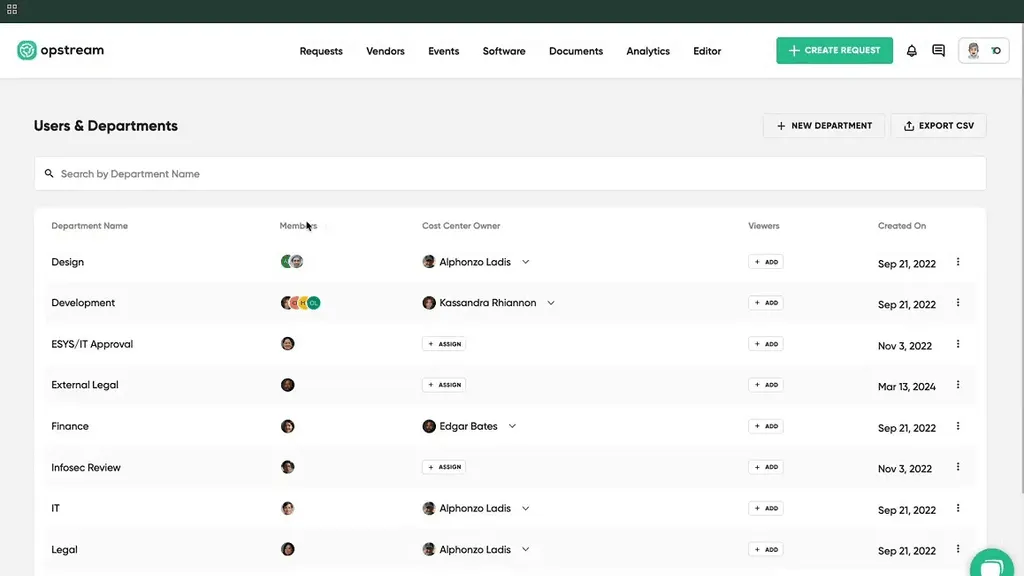
How to Profile & Administration
Covers managing personal accounts and Admin settings (Users, Roles, Security).
Deep dive
-
Design Request Types: the questions they ask, the tabs they sit in, and how to publish them.
-
Assign approvers, configure approval tasks, and route decisions up the management chain.
-
Custom fields for vendors, software, requests and budgets that drive reporting, reminders and automation.
-
Automated Workflows and Reminders
Agentic workflows that handle renewals, compliance and recurring tasks without manual tracking.
-
Build dashboards for spend, request activity, approval times and pipeline metrics.
-
Maintain one authoritative set of values and reference it from every schema and condition.
-
Purchase Orders, Catalogs and Payments
Create and edit POs in your ERP, buy from Coupa catalogs and punchout stores, and send payments.
-
Define your contract standards once and have Opstream’s AI check every document against them.
-
Notifications and Collaboration
Email, Slack and Teams notifications, comments and mentions, reassigning reviews, search and exports.
-
Connect and manage ERP, HRIS, CLM, compliance and notification systems.
-
Collect invoices by upload or email, review AI-extracted data, match them to POs, and create them in your ERP.
AI
-
Connect your AI tools to Opstream and ask questions about your live procurement data in plain language.
Reference
-
AI document extraction, budget intelligence, agentic analytics and Ask Opstream.
-
Governance & Change Management
Keep schemas clean, audit logs current, SLAs monitored and escalation configured.
-
Common workflow, data and approval problems, and what to check first.
-
Every term used across the platform and this guide, defined.
-
Visual guidance for core platform features and configuration steps.
-
What you can review, approve and track from your phone or tablet, and what needs a computer.
This site uses anonymous analytics to work out which pages are useful. Visits are not tied to anyone, and nothing you type is recorded. See the Opstream privacy policy.