

5.4 Deep Dive: Automated Workflows and Reminders
5.4.1 What Automated Workflows Do
Automated workflows allow Admins to proactively manage compliance, renewals, and recurring tasks based on date attributes and risk levels, minimizing manual tracking and ensuring compliance.
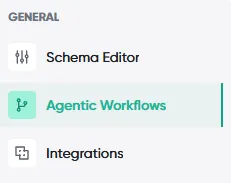
Navigation: Admin -> Agentic Workflows
From the Agentic Workflows section in your Admin menu, you can:
-
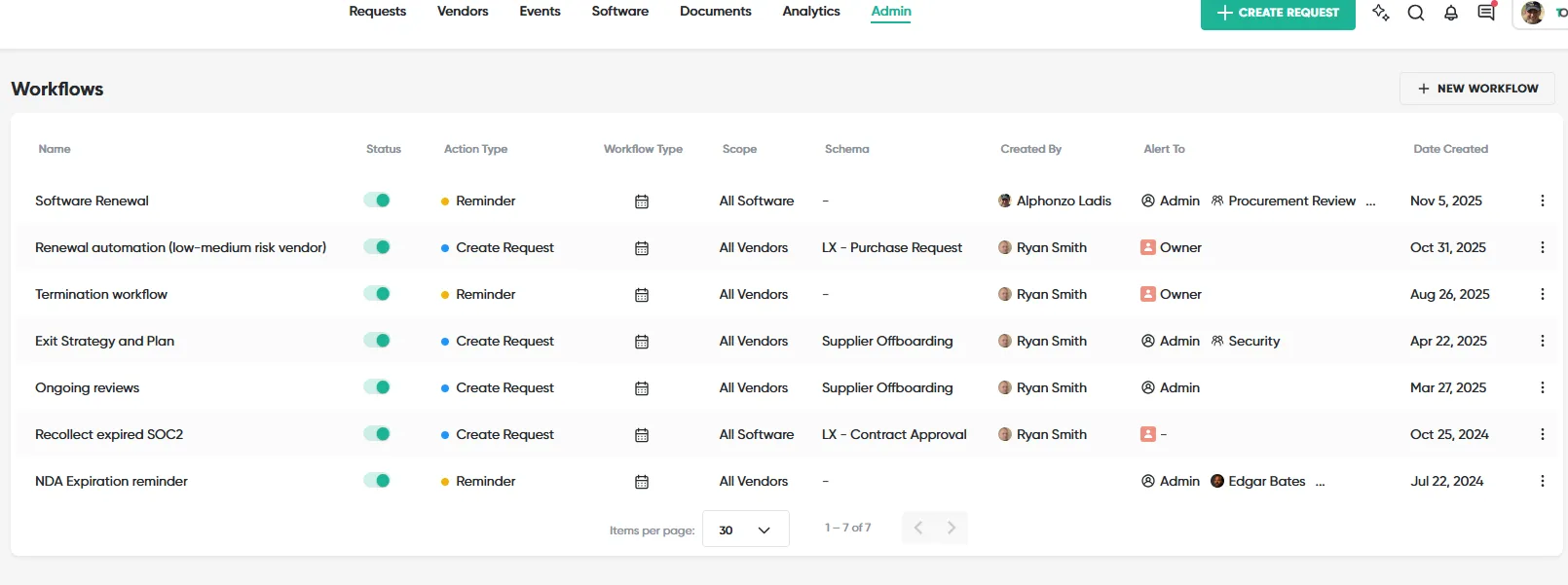
Set reminders for all software, all vendors, or specific items.
-
Base reminders on any date attribute in the system (e.g., contract renewal date, compliance certificate expiry, auto-renewal deadline).
-
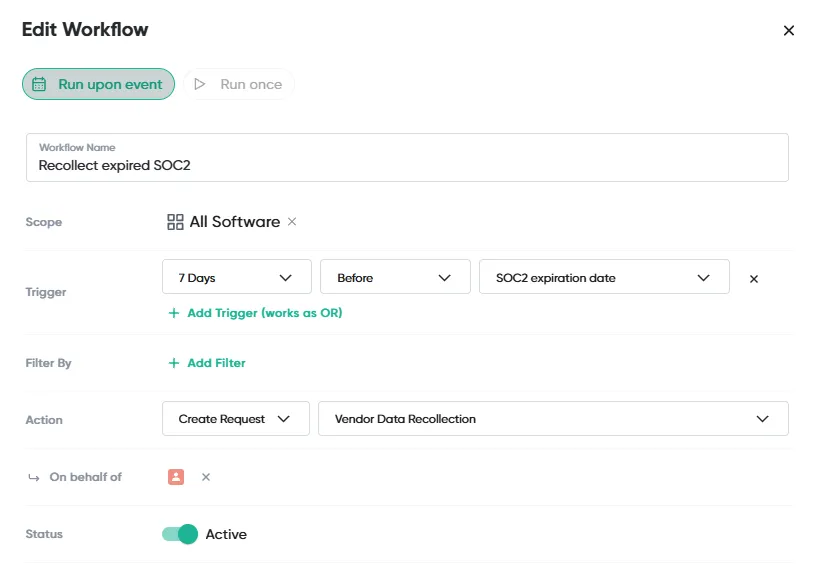
Automate requests to trigger when a certain date is reached.
5.4.2 What You Can Configure
Customization options:
-
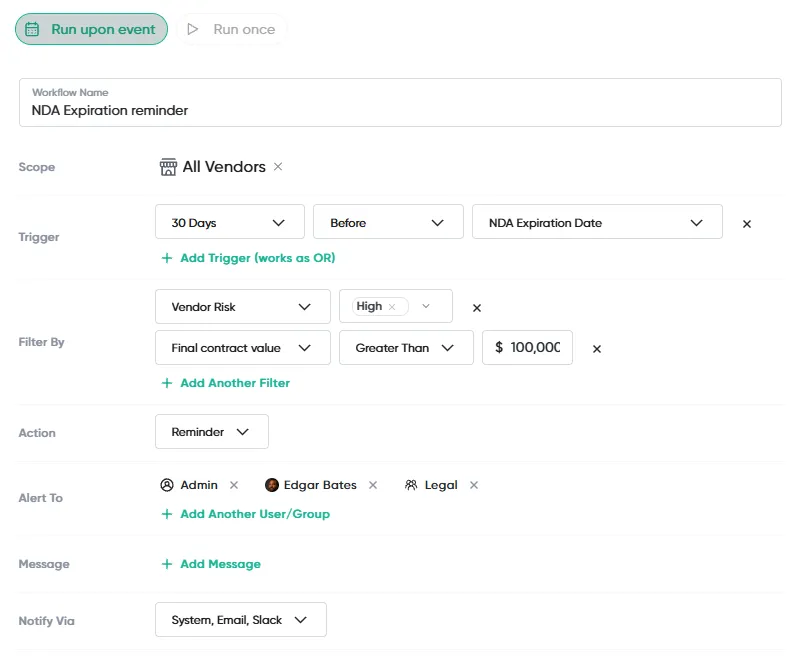
Choose how reminders are sent: Slack, email, or system notification.
-
Decide who gets the notification: specific individuals, cost center owners, or entire departments.
-
Add a personalized message to the reminder.
-
Apply filters (e.g., send an alert only for high-risk vendors or contracts over a certain value).
5.4.3 Quick Actions
Quick Actions:
-
Add reminders directly from a vendor or software page.
-
View and manage notifications from the “bell” icon in the top right.
-
Dismiss or mark notifications complete from the relevant vendor/software record.
5.4.4 Common Use Cases by Team
Example uses:
-
Procurement: Notify the team 90 days before a contract auto-renews.
-
Legal: Trigger a contract review request 30 days before a document expires.
-
Security: Remind stakeholders to renew a vendor’s compliance certification.
5.4.5 Choosing an Execution Mode
When configuring an Agentic Workflow, you must choose how it triggers. This setting determines whether the workflow fires repeatedly or only once per record.
-
Run Upon Event: The workflow re-evaluates every time the trigger condition is met for a matching record. This means it can fire multiple times for the same record over time. Use this for recurring governance checks – for example, sending a reminder every year when a software license is approaching renewal, or notifying the team whenever a new vendor’s risk score changes to High.
-
Run Once: The workflow fires only a single time per matching record, even if the condition is met again later. Use this for one-time triggered actions – for example, automatically creating a Renewal Request when a contract is 90 days from expiry. You only want one request created per contract, not one every day the condition is true. Run Once prevents duplicate triggers on the same record.
5.4.6 Best Practices for Agentic Workflows
-
Start with Run Upon Event for sending reminders; use Run Once only for one-time actions like data recollection
-
Test on a single vendor or software record before applying broadly
-
Use clear, descriptive workflow names – you will need to audit them later
-
Review active workflows quarterly to retire outdated logic
-
Send notifications before enabling automated request creation
This site uses anonymous analytics to work out which pages are useful. Visits are not tied to anyone, and nothing you type is recorded. See the Opstream privacy policy.